
Manifest your money
Moniefest turns the numbers you'd rather not think about into a picture you actually understand — and it never leaves your phone.
100% on-device
No account
iPhone & iPad
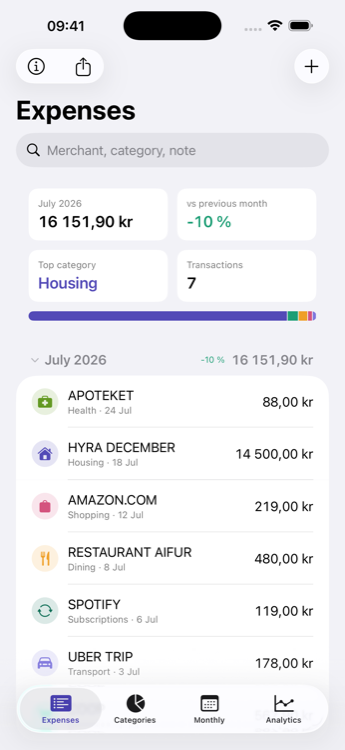
Moniefest turns the numbers you'd rather not think about into a picture you actually understand — and it never leaves your phone.
Money moves in more than one direction. Moniefest sorts every transaction into one of three pillars, so what you earn and what you invest aren't quietly filed as things you spent.
What actually left your pocket — groceries, rent, the coffee. Broken down by category, the way it always was.
Money coming in: salary, benefits, dividends. Now it's counted, so a month shows what you kept, not just what you spent.
What you moved into investments — Avanza, Savr, Nordnet, an ISK, a pension. It left your account, but you didn't spend it, so it stands on its own.
Money is easier to handle when you can see it. Moniefest turns a pile of transactions into something you can read at a glance.
Type a merchant and the category picks itself. One tap and the expense is in — no forms to wrestle with.
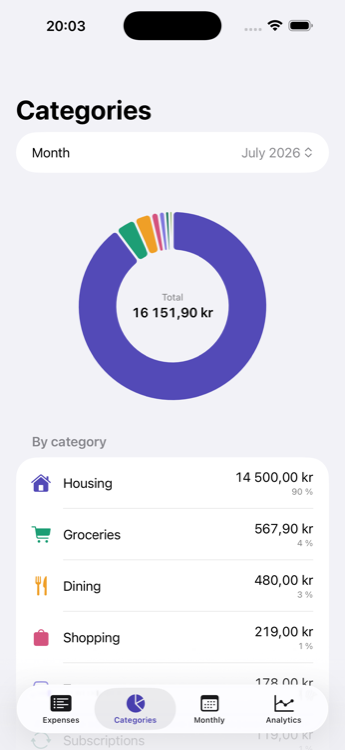
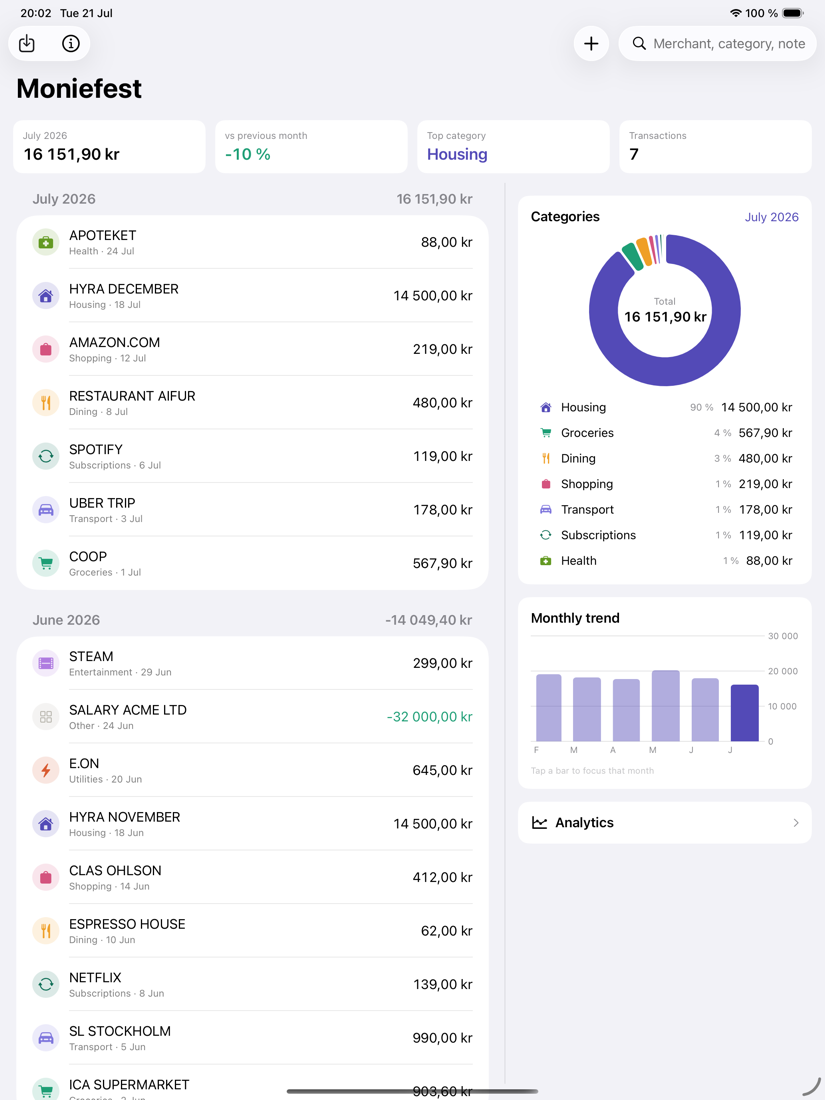
A category donut shows how each month really breaks down, with the percentages spelled out beside it.
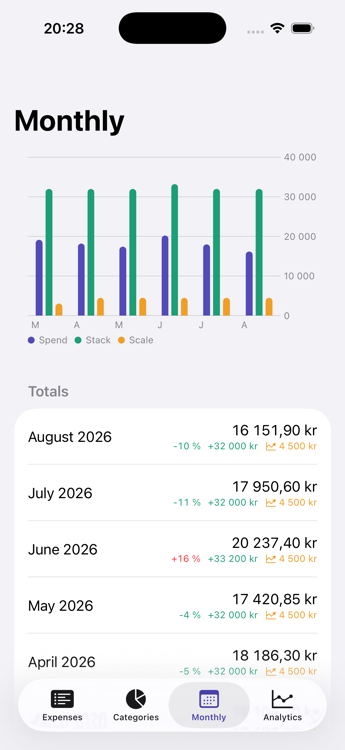
A twelve-month view shows whether you're drifting up or reining it in, with the change stated plainly.
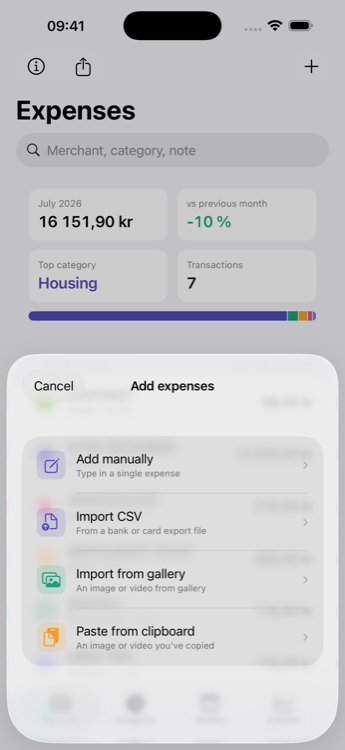
Point Moniefest at a CSV from your bank and it works out the columns, dates, and number style on its own.
No export? Screenshot your bank app's list and Moniefest reads the rows right on your phone. Nothing is uploaded.
Long history? Film your screen while scrolling and Moniefest reads the whole clip, skipping the repeats.
Cryptic bank descriptors become the shops you actually visited — "STORA COOP SUNDBY" reads as "Stora Coop".
Bring in the same file, shot, or clip again and nothing doubles up — every row is fingerprinted first.
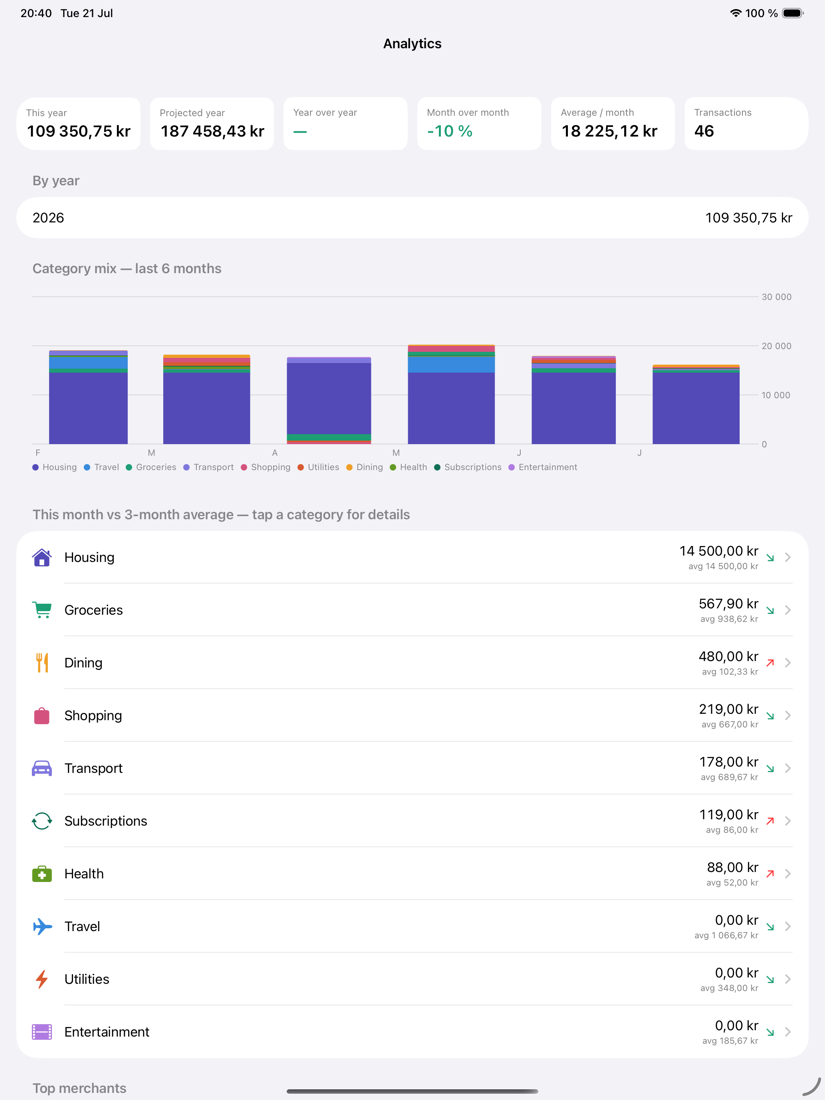
Year-to-date, a projection for the year, year-on-year shifts, your top merchants, and a look inside any category.
Money a shop hands back reduces what you spent in that category. It never pads out what you earned — that's the whole point.
A credit that could be a salary or a refund gets flagged for you to confirm, instead of being quietly filed in the wrong place.
The monthly view charts spending, money in, and investments side by side — so you can see what a month actually did.
On iPad it all sits on one screen — your expenses, the category donut, and the monthly picture together. Tap a month to focus it, tap a category to filter, open analytics for the full story.
Everything you put into Moniefest stays in Apple's on-device storage. The app has no networking code at all — no account, no cloud, no analytics, no ads. Your spending is nobody's business but yours, and it never leaves your phone.